
The transition from office to remote work is defined as the deliberate shift from a fixed workplace to a home or location-independent setup, requiring changes to your physical workspace, communication habits, and daily structure. This shift is not just logistical. Research shows professionals who make this move can gain roughly $9,100 in net disposable income annually after accounting for home office costs, plus recover 340 hours of commuting time each year. That is the equivalent of 14 full working days handed back to you. Getting there, though, requires a clear plan.
What are the essential home office setup requirements for remote work?
Your physical workspace is the foundation of a successful remote work transition. A dedicated room or corner signals to your brain that work has started, which matters more than most people expect. Without that psychological separation, focus suffers and work bleeds into personal time.
The core equipment list for a functional home office includes:
- Ergonomic chair: Lumbar support prevents back pain during long sessions.
- Dual monitors: Reduces tab-switching and measurably speeds up document work.
- Quality webcam: A crisp video feed protects your professional image on calls.
- Noise-canceling headphones: Cuts background noise in shared living spaces.
- Good lighting: A ring light or desk lamp positioned in front of you eliminates shadows on video calls.
Home office setup costs typically range between $800 and $2,500. Many employers offer stipends of $500 to $2,000 to offset that investment, so ask your HR team before spending a dollar. A well-equipped setup often pays for itself within the first three months through savings on commuting and work lunches alone.
Internet reliability is non-negotiable. Video conferencing requires a minimum of 25 Mbps download speed, while cloud-heavy collaboration tools perform best at 100 Mbps or above. Always keep a cellular hotspot as a backup. A dropped connection during a client call does more reputational damage than most people realize.

Pro Tip: Before buying any equipment, check your employer's reimbursement policy. Some companies cover up to $2,000 in setup costs, which changes your purchase priorities entirely. You can also review laptop setup advice tailored for remote professionals.
| Equipment | Estimated Cost | Priority |
|---|---|---|
| Ergonomic chair | $200–$600 | High |
| Dual monitors | $300–$700 | High |
| Quality webcam | $80–$200 | High |
| Noise-canceling headphones | $100–$350 | Medium |
| Lighting setup | $30–$150 | Medium |
How should communication and work habits change when moving to remote work?
The single biggest adjustment when moving to remote work is the shift from verbal, real-time communication to written, asynchronous communication. In an office, you resolve questions with a quick desk visit. Remotely, value is measured by clear documentation and outputs, not instant replies. That is a fundamentally different skill set.
Practical habits that support this shift include:
- Write with context: Every message should contain enough background that the reader can act without a follow-up question.
- Protect focus blocks: Block deep work time on your calendar with the same firmness you apply to client meetings.
- Track accomplishments, not hours: Remote managers evaluate output. Keep a running list of completed tasks to share in check-ins.
- Schedule social time deliberately: Virtual coffee chats and co-working sessions prevent the isolation that catches many remote workers off guard.
The calendar becomes your most important tool. Without it, flexibility turns into fragmentation. Treat unscheduled time as an invitation to drift, and productivity drops fast.
Pro Tip: End each workday by writing three accomplishments and three priorities for tomorrow. This five-minute habit replaces the mental closure that a commute used to provide, and it gives you a clear record of your output.
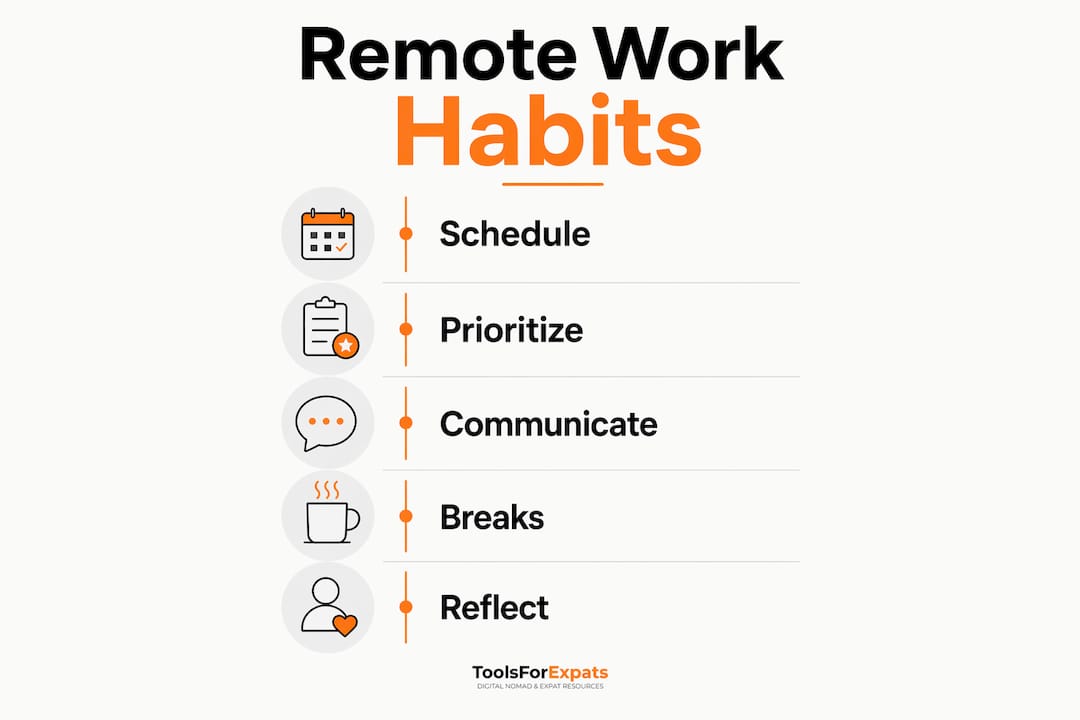
Different work styles adapt to remote environments at different speeds. Extroverts often struggle more with isolation in the early weeks, while detail-oriented workers sometimes over-communicate to compensate for the lack of visual feedback. Knowing your own tendencies helps you build habits that fit your personality rather than fighting it.
What are the common challenges in the first 3–6 months of remote work?
Most professionals need 3–6 months to fully adapt to remote work routines. Workers who quit before establishing a structured daily rhythm rarely give the setup a fair chance. The adjustment period is real, and expecting it makes it easier to push through.
The four most common challenges in this window are:
- Boundary bleed. Without a commute, work and home life merge. The psychological boundary that a commute creates disappears overnight.
- Imposter syndrome. Feeling less competent in the first weeks is common. It reflects a shift in communication medium, not a drop in your actual skills.
- Unstructured days. Office environments impose structure implicitly. At home, you must build it yourself.
- Flexibility overload. The freedom to work anytime often means working all the time, which leads to burnout faster than a fixed schedule would.
"Flexibility without intentional boundaries is just a different kind of trap. Block focus time on your calendar the same way you would a client meeting, or it will disappear." — Remote Work Transition Insight
The most practical fix for boundary bleed is the "fake commute." Take a short walk before and after your workday. This signals to your brain that the workday has started or ended. It sounds simple, but the behavioral effect is real and well-documented.
Imposter syndrome in the first three months reflects a communication skills upgrade, not a competency gap. You are learning to communicate in a new medium. Reframe it as professional development rather than evidence of inadequacy.
Pro Tip: Build a "daily anchor" routine: same start time, same first task, same end-of-day ritual. Predictable structure in the morning reduces decision fatigue and makes the rest of the day easier to manage.
What financial and time savings can remote work offer?
The financial case for adjusting to remote work is stronger than most people calculate before making the move. A detailed case study shows a net annual income gain of $9,100 after home office setup costs. That figure accounts for commuting expenses, work lunches, professional clothing, and the one-time cost of equipping a home workspace.
| Savings Category | Estimated Annual Amount |
|---|---|
| Commuting costs | $3,000–$5,000 |
| Work lunches | $1,500–$2,500 |
| Professional clothing | $500–$1,500 |
| Home office setup (amortized) | ($800–$2,500) one-time |
| Net annual gain | ~$9,100 |
The time savings are equally significant. Eliminating a daily commute returns roughly 340 hours per year to your schedule. That is 14 full days you can redirect toward health, family, side projects, or rest.
Home office setup costs amortize quickly. At a net monthly savings of roughly $760, a $2,500 setup pays for itself in about three months. After that, every month is pure gain. Use a moving abroad budget calculator to model your specific numbers if you are also considering relocating while working remotely.
How to plan a successful transition from office to remote work
A structured timeline prevents the most common mistakes. Career changers who move into remote roles typically need 6–9 months from initial research to a settled routine, especially when switching fields. Breaking the process into phases makes it manageable.
- Research phase (weeks 1–4). Audit your current role for remote-compatible tasks. Identify skill gaps in written communication, project management tools, and asynchronous workflows.
- Setup phase (weeks 5–8). Purchase equipment, negotiate employer stipends, and configure your workspace. Test your internet speed and set up a cellular backup.
- Communication adjustment (weeks 9–12). Practice writing detailed, context-rich messages. Establish check-in rhythms with your manager and team.
- Routine building (months 3–6). Refine your daily structure, add deliberate social interactions, and track your output weekly.
- Self-check-ins (ongoing). Review your routines monthly. What is working? What is creating friction? Adjust before small problems become habits.
Networking does not stop when you leave the office. Schedule virtual coffee chats with colleagues, join online communities in your field, and attend local co-working meetups when possible. Remote work can feel isolating if you treat it as purely solo work. It does not have to be. You can also read more about setting up remote work abroad if your transition includes an international move.
Key takeaways
A successful office-to-remote transition requires a dedicated workspace, a shift to asynchronous communication, and deliberate daily structure built within the first 3–6 months.
| Point | Details |
|---|---|
| Financial upside is real | Remote workers can gain roughly $9,100 net annually after home office costs. |
| Setup investment pays off fast | A $2,500 home office setup typically amortizes within three months of savings. |
| Adjustment takes time | Most professionals need 3–6 months to build sustainable remote routines. |
| Communication must change | Shift from verbal, real-time exchanges to clear, written, asynchronous messages. |
| Structure must be intentional | Without a commute or office cues, you must build your own daily boundaries and rituals. |
What I've learned after watching hundreds of remote transitions
The professionals who struggle most with moving to remote work are not the ones with bad setups or slow internet. They are the ones who never update their definition of "being productive." In an office, visibility counts. You are seen at your desk, in meetings, at the coffee machine. Remote work strips all of that away. Output is the only currency that matters.
The hardest mental shift is accepting that no one can see you working, and that is fine. Your manager does not need to watch you type. They need deliverables on time and communication that is clear. Once you internalize that, the anxiety of remote work drops significantly.
I have also seen people underestimate the social piece. They assume they will not miss the office chatter. Most do, usually around week six. The fix is not complicated: put social time on the calendar the same way you schedule a project review. A 20-minute virtual coffee with a colleague is not a luxury. It is maintenance.
The fake commute idea sounds almost embarrassing when you first hear it. A walk around the block before opening your laptop? But the people who do it consistently report better focus and cleaner work-life separation than those who roll out of bed and straight into Slack. Rituals work because your brain responds to patterns, not intentions.
Remote work is a skill set, not just a location change. The professionals who treat it that way, and invest in learning it deliberately, end up with more flexibility, more savings, and often better career outcomes than they had in the office.
— Jay
ToolsForExpats has free tools to support your remote work plans
Planning a remote work transition often means rethinking your budget, especially if you are considering working from a different city or country. ToolsForExpats offers a full suite of free calculators built for exactly this kind of planning.

Use the cost of living comparison tool to see how your expenses would change across different cities. Run your numbers through the nomad cost calculator to model your real monthly budget in a new location. If you are thinking about relocating while working remotely, the expat tools at ToolsForExpats cover everything from visa eligibility to moving budgets, all free and accessible without creating an account.
FAQ
How long does the transition from office to remote work take?
Most professionals need 3–6 months to fully adapt to remote work routines. Workers who build deliberate daily structure in the first few weeks adjust faster and are less likely to quit before the routine takes hold.
What internet speed do I need for remote work?
A minimum of 25 Mbps supports video conferencing, while 100 Mbps is recommended for cloud-heavy collaboration. Always keep a cellular hotspot as a backup to protect your reliability during important calls.
How much does a home office setup cost?
Home office setup costs typically range from $800 to $2,500. Many employers offer reimbursement stipends of $500 to $2,000, so check your company's policy before purchasing equipment.
How do I avoid burnout when working from home?
Create a "fake commute" with a short walk before and after your workday to signal clear start and end times. Block focus time on your calendar and schedule social interactions deliberately to prevent isolation.
Is remote work actually more financially rewarding than office work?
Research shows remote workers can gain roughly $9,100 net annually after home office costs, factoring in savings on commuting, lunches, and clothing. A well-equipped home office typically pays for itself within three months.