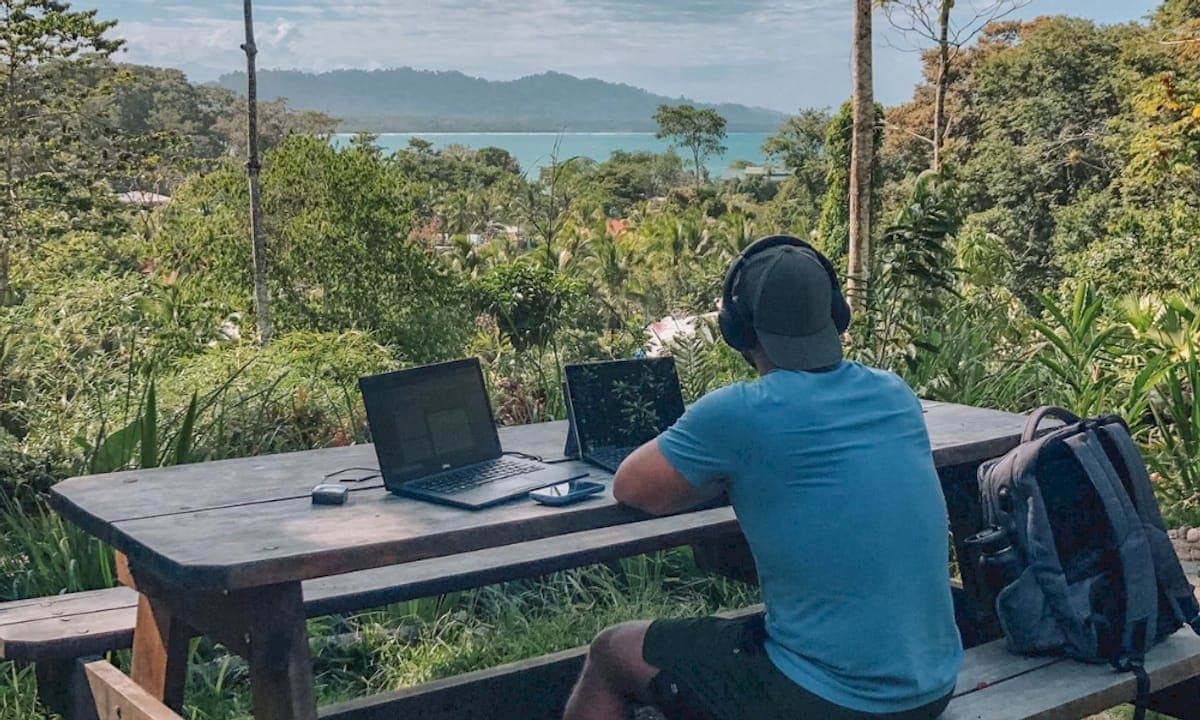
Project management tools are the coordination systems digital nomads rely on to track tasks, meet deadlines, and communicate progress without a fixed office. The question of why nomads use project management tools comes down to one core problem: mobility breaks the informal systems that office workers take for granted. No hallway check-ins, no shared whiteboards, no spontaneous desk conversations. Formal PM tools reduce communication lag by up to 40% and improve on-time delivery rates by 35%. That gap between nomadic chaos and reliable delivery is exactly what these tools close.
Why nomads use project management tools to stay reliable
The biggest threat to a nomad’s professional reputation is not bad work. It is invisible work. When clients cannot see progress, they assume nothing is happening. PM tools eliminate “status drag” by replacing repetitive update meetings with real-time visibility into every task and milestone. That shift matters enormously when you are working from a café in Lisbon while your client is in Chicago.

Communication lag is more expensive than most nomads realize. When updates are delayed, clients send follow-up emails. Those emails require responses. Responses interrupt deep work. The cycle compounds until a simple project becomes a full-time communication job. Centralizing updates in one shared tool breaks that cycle before it starts.
The hidden costs of poor communication include:
-
Duplicated effort: Two team members work on the same task because no one updated the board.
-
Approval delays: A deliverable sits waiting because the client did not know it was ready for review.
-
Scope creep: Without documented progress, clients reframe what was agreed upon.
“The motivation for adopting project management software is less about its interface and more about eliminating the wasted time buried in update meetings. Real-time visibility replaces the need to ask ‘where are we?’ entirely.”
Replacing status meetings with a shared task board is not a convenience. It is a professional standard for anyone working across locations and time zones.
How do PM tools handle multiple time zones for nomads?
Time zones are the most underestimated challenge in remote work management. A nomad in Southeast Asia working with European clients faces a 6–7 hour gap. That gap shrinks the window for real-time collaboration to almost nothing. Staying within a ±6-hour offset from your client base preserves at least 2–3 hours of meaningful synchronous overlap each day.
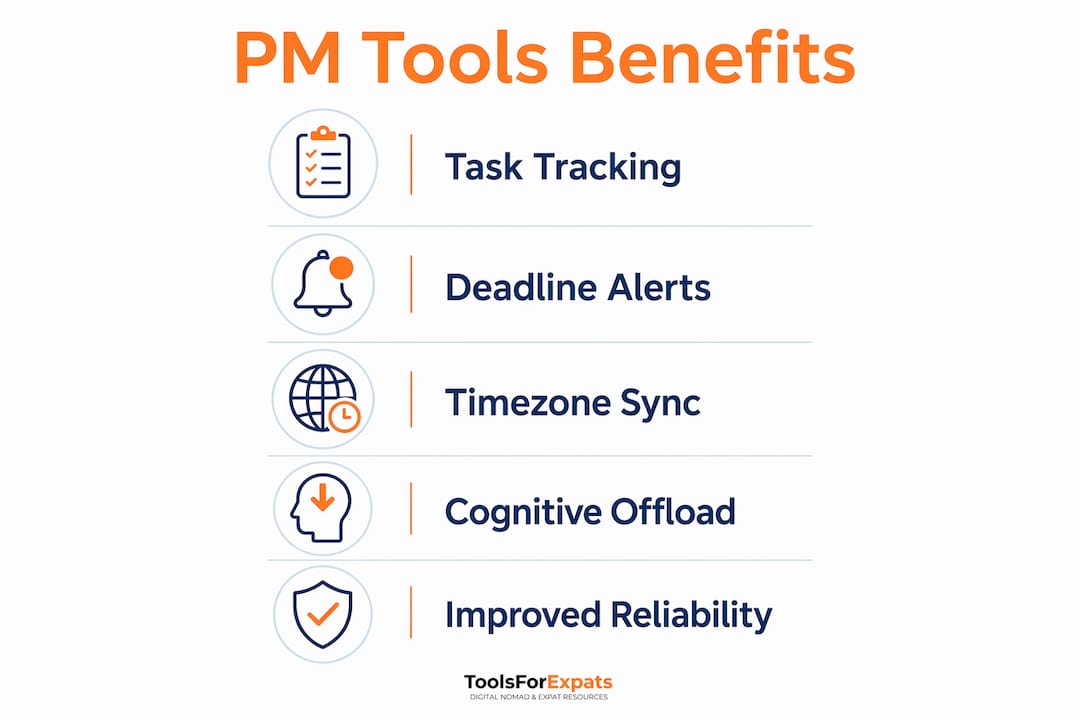
When synchronous overlap is limited, your PM tool becomes the “source of truth.” Asynchronous updates in a shared PM system work better than daily calls when time zones do not align. Your client checks the board in the morning. You updated it the night before. Everyone stays informed without a single meeting.
Here is how to build a time-zone-aware workflow using PM tools:
-
Set anchor hours. Block your 2–3 hours of overlap inside your PM tool as protected time for calls and approvals.
-
Use end-of-day updates. Before you close your laptop, update every active task with its current status and next step.
-
Document decisions in the tool. Never leave a verbal agreement undocumented. Log it in the task comments immediately.
-
Block travel days as zero-deliverable. Treating travel days as write-offs prevents missed deadlines when flights run long or Wi-Fi fails.
Pro Tip: Visualize your client’s working hours directly inside your PM tool using a time-zone label or calendar block. Seeing their day at a glance stops you from scheduling deliverables during their weekend.
Why cognitive offloading is the real productivity advantage
Most nomads think PM tools are about organization. The deeper benefit is psychological. PM tools serve as cognitive offloading systems that answer the exhausting question “What should I do next?” without requiring mental effort. When your environment changes every few weeks, that question becomes genuinely draining.
Stable routines and PM tools reduce decision fatigue and task ambiguity for nomads. Every new city brings new logistics: finding a coworking space, adjusting to a new time zone, navigating a new neighborhood. Your work system should not add to that mental load. A trusted PM tool removes the friction of deciding what to work on next.
The most effective approach for solo nomads is the Solo Kanban method: three columns labeled To Do, In Progress, and Done. Nothing more. This structure gives you a complete picture of your workload in under ten seconds. You do not need a complex tool with 40 features. You need one system you actually use every day.
Building a personal operating system around a single PM tool also prevents tool fatigue. Mastering one project management tool reduces cognitive burden far more than switching between three apps that each do one thing well. The switching cost is real. Every time you move between tools, you lose context and momentum.
Here is what a strong personal operating system includes:
-
One task board for all active projects, personal and professional.
-
One notes layer for meeting summaries, client briefs, and research.
-
One calendar integration so deadlines appear in context with your schedule.
-
Offline capability for working on planes, trains, or in areas with poor connectivity.
Pro Tip: Run a weekly 15-minute review every Sunday. Archive completed tasks, reprioritize the To Do column, and set your three most important tasks for Monday. This single habit prevents the “lost Monday” that derails many nomads after a weekend of travel.
What types of PM tools work best for nomads?
Not all project management tools serve nomads equally. The right category depends on your work type, team size, and how often you move. Here is a breakdown of the three main categories:
| Tool type | Best for | Key limitation |
|---|---|---|
| Kanban task boards | Solo nomads, freelancers, visual thinkers | Limited reporting and dependency tracking |
| Full project trackers | Teams, complex multi-phase projects | Steeper learning curve, heavier interface |
| Knowledge bases | Documentation, client wikis, SOPs | Not built for task tracking or deadlines |
Kanban-style task managers suit most freelance nomads. They are fast to set up, easy to update on mobile, and require no training. Full project trackers fit nomads managing remote teams or running agencies with multiple clients and deliverables. Knowledge bases work best as a companion tool, not a primary system.
Mobile compatibility and offline access are non-negotiable for nomads. A tool that requires a fast, stable connection fails the moment you board a train or land in a country with spotty internet. Check whether your chosen tool syncs locally before you need it in the field. For insights on current project management trends, the shift toward mobile-first and async-ready platforms is accelerating in 2026.
The best approach to choosing a tool is to pick one, use it for 90 days, and resist the urge to switch. Most nomads who struggle with productivity are not using the wrong tool. They are using three tools inconsistently.
Practical tips for integrating PM tools into your daily nomad workflow
Knowing which tool to use is only half the answer. How you use it daily determines whether it actually protects your productivity. Clear client onboarding and documented project scopes are the top success factors in maintaining a sustainable freelance nomad business. Your PM tool is where that documentation lives.
Here is a practical daily integration framework:
-
Start with a morning scan. Open your task board before email. Review what is In Progress and what is due today. This sets your intention before distractions arrive.
-
Use PM tools for client onboarding. Create a shared project space for every new client. Include the scope, timeline, deliverables, and communication cadence in one place. Clients who can see the plan trust the process.
-
Set a hard end-of-day boundary. Mark your last task update as your work cutoff. This creates a psychological close to the workday, which matters more when your office and living space are the same room.
-
Schedule recovery time after travel. Block the day after a long flight as low-output. Use it for admin, planning, and catching up on messages rather than deep creative work.
-
Replace ad hoc calls with async updates. Reserve live calls for decisions and relationship building. Use your PM tool for status updates, file sharing, and feedback threads. This respects both your time and your client’s. For more on collaboration tools for remote teams, async-first setups consistently outperform meeting-heavy workflows.
The nomads who sustain long careers working remotely are not the ones with the best tools. They are the ones with the most consistent habits around the tools they already have. Consistency beats complexity every time.
Key Takeaways
Digital nomads who master one PM tool and use it consistently outperform those who rely on multiple apps, because a single trusted system reduces cognitive load, protects communication reliability, and keeps client relationships intact across time zones.
| Point | Details |
|---|---|
| Communication reliability | PM tools reduce communication lag by up to 40%, protecting your professional reputation across locations. |
| Time-zone management | Stay within a ±6-hour offset from clients and use async updates as your primary communication method. |
| Cognitive offloading | A Solo Kanban system answers “What do I do next?” without mental effort, reducing daily decision fatigue. |
| Tool discipline | Mastering one PM tool beats juggling three. Pick one, use it for 90 days, and build habits around it. |
| Client onboarding | Document every project scope and update cadence inside your PM tool to sustain long-term freelance relationships. |
The system that saved my sanity on the road
I spent my first year as a nomad using four different apps: one for tasks, one for notes, one for client communication, and one for time tracking. I was technically “organized.” I was also constantly anxious, because I never trusted any single system completely. The moment I consolidated everything into one Kanban board, something shifted. Not just in my output, but in how I felt at the end of a workday.
The insight that changed my approach was this: PM tools are not about tracking tasks. They are about protecting attention. Every time you have to remember a deadline, chase a status, or wonder what comes next, you are spending mental energy that should go toward actual work. A good system eliminates those questions entirely.
The 6-hour time-zone rule is one I now treat as a hard constraint, not a preference. I have tried working with clients 9 hours away. The async gap is manageable for a week. Over months, it erodes the relationship. Clients want to feel connected to their work. A PM tool helps, but it cannot fully replace the trust built through occasional real-time conversation.
My honest advice: start with the simplest possible system. Three Kanban columns, one weekly review, and a rule that every client interaction gets documented in the tool. Build from there only when the simple system breaks. Most nomads never need to go beyond that. The digital nomad lifestyle in 2026 rewards people who work with clarity, not complexity.
— Jay
ToolsForExpats has free tools to support your nomad setup
Planning where to work next is just as important as how you work. ToolsForExpats offers a free suite of calculators and planning tools built specifically for digital nomads and expats.
Use the nomad cost calculator to compare living costs across cities before you commit to a destination. Check visa eligibility for 20+ countries with the digital nomad visa checker to make sure your next base is actually accessible. Every tool on ToolsForExpats is free, requires no account, and takes under five minutes to use. When your PM tool handles your work, ToolsForExpats handles the logistics of where you work from next.
FAQ
Why do digital nomads rely on project management tools?
Digital nomads use project management tools to replace the informal coordination that happens naturally in an office. These tools centralize tasks, deadlines, and client communication in one place, making remote work reliable across locations and time zones.
How do PM tools help with time-zone differences?
PM tools function as an asynchronous source of truth, letting clients and teammates check progress without scheduling a call. Staying within a ±6-hour offset from your client base also preserves 2–3 hours of daily synchronous overlap for decisions and approvals.
What is the Solo Kanban method for nomads?
The Solo Kanban method uses three columns: To Do, In Progress, and Done. It gives solo nomads a complete view of their workload in seconds and avoids the complexity of enterprise-level tools that add friction without adding value.
How many project management tools should a nomad use?
One. Mastering a single PM tool reduces cognitive burden and switching costs. Nomads who use multiple tools inconsistently lose context and momentum, which undermines the productivity benefits these tools are designed to provide.
What makes a PM tool suitable for travel?
Mobile compatibility and offline access are the two non-negotiable features. A tool that requires a fast, stable internet connection will fail during transit. Local sync capability keeps your work accessible regardless of connectivity.