Moving abroad with a stack of paper documents, unopened mail piling up at your home address, and bank statements you can't access remotely is a recipe for stress. When you decide to switch to a paperless life abroad, you take control of your finances, your documents, and your peace of mind, all at once. This guide covers exactly what you need to prepare before you leave, the specific steps to go fully digital, and how to troubleshoot the problems most expats don't see coming. Whether you're a first-time relocator or a seasoned digital nomad, you'll leave with a working system, not just good intentions.
Table of Contents
- Key takeaways
- What you need before switching to a paperless life abroad
- Steps to go fully paperless with finances and documents
- Common challenges when living paperless overseas
- Maintaining your paperless system long-term
- My honest take on going paperless abroad
- Plan your paperless move with ToolsForExpats
- FAQ
Key takeaways
| Point | Details |
|---|---|
| Build your digital toolkit first | Set up virtual mailbox, cloud storage, and multi-currency banking before you leave. |
| Follow a structured transition | Convert bills, statements, and tax documents to digital delivery using a step-by-step approach. |
| Know the legal limits | A virtual mailbox address does not establish tax residency; formal legal documentation is always required. |
| Keep physical backups | Store passports, birth certificates, and other non-digitizable originals in a secure, fireproof location. |
| Maintain a digital routine | Monthly audits of your filing system keep your paperless setup working long-term. |
What you need before switching to a paperless life abroad
Getting your digital infrastructure in place before you board that flight makes the entire transition far less stressful. Think of it as laying the foundation. You would not move into a house without checking that the utilities work.
Core digital tools to arrange
Here is what you need to have active before you relocate:
- Virtual mailbox service: These services give you a real street address in your home country, scan your incoming mail, and let you view, forward, or shred it from anywhere. Virtual mailbox services typically cost between $15 and $50 per month, depending on the volume of mail and features you need.
- Cloud storage: Google Drive, Dropbox, or iCloud for document storage. Use a folder structure that mirrors how you would organize a physical filing cabinet: taxes, banking, insurance, government, utilities.
- VPN subscription: A VPN is not optional when living abroad. VPN use is critical for maintaining access to home country banking portals, streaming services, and government sites that block foreign IP addresses.
- eSIM or international data plan: You need reliable internet the moment you land, before you have fixed accommodation. An eSIM that covers your destination country buys you that buffer.
- Secure backup solution: An external encrypted hard drive or a service like Backblaze keeps a copy of everything even if your primary device is stolen or fails.
Financial tools to set up
Managing money across borders without a proper financial setup can cause real headaches. A three-tier banking setup is the most practical approach: keep your home country bank account active for official correspondence and tax purposes, use a multi-currency account like Wise or Revolut for daily spending, and hold savings in a stable currency account to protect against exchange rate swings.

You should also download your budgeting app of choice and connect all accounts before you leave. Knowing exactly what you spend on digital subscriptions each month matters more abroad, where unexpected fees can quickly compound. Most digital nomads budget between $50 and $100 per month for core connectivity tools like VPNs and eSIMs alone.
Pro Tip: Grant a trusted person at home limited power of attorney to handle any physical mail or legal documents that cannot be processed digitally. This saves you from needing to fly back for a single piece of paperwork.
| Tool Category | Example Services | Typical Monthly Cost |
|---|---|---|
| Virtual mailbox | PostScan Mail, Anytime Mailbox | $15–$50 |
| VPN | NordVPN, ExpressVPN | $5–$13 |
| Cloud storage | Google Drive, Dropbox | $0–$20 |
| Multi-currency account | Wise, Revolut | $0–$15 |
| eSIM / connectivity | Airalo, Holafly | $10–$30 |
Steps to go fully paperless with finances and documents
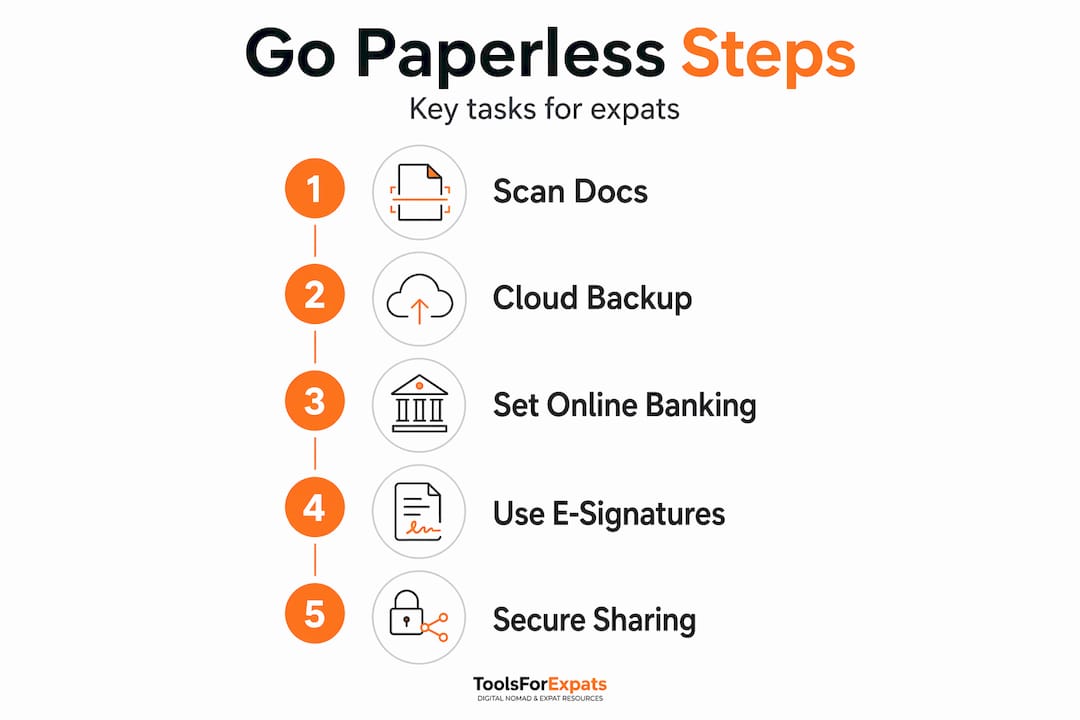
Once your tools are ready, the actual transition is methodical. Take it category by category rather than trying to do everything at once.
-
Activate your virtual mailbox address and update your contacts. Notify your bank, insurance providers, government agencies, and any subscription services of your new mailing address. Do this at least two weeks before you depart so mail does not go missing during the switch.
-
Set up digital banking access fully. Log into every account from a home country IP address before you leave, confirm that two-factor authentication (2FA) is tied to a phone number or app you control abroad, and download offline copies of recent statements. Some banks will freeze accounts when they detect a foreign login for the first time, so testing access from home means you can resolve problems before they become emergencies.
-
Convert all bills and statements to paperless delivery. This includes utilities, insurance, credit cards, and any investment accounts. Most providers have a paperless option buried in account settings. Block off one afternoon to go through every account systematically.
-
Request digital tax documents and government correspondence. As of the 2026 filing season, the IRS began phasing out paper refund checks starting September 30, 2025, making direct deposit the standard for expats. Register for direct deposit and sign up for electronic IRS notices at IRS.gov before you leave the country.
-
Scan and organize all existing physical documents. Use a scanner app like Adobe Scan or Microsoft Lens to digitize anything important: leases, contracts, medical records, vehicle titles. Store them in clearly labeled cloud folders with consistent naming conventions (for example, "2025_TaxReturn_Federal").
-
Set up automated bill payments with calendar reminders. Missed payments on credit cards or insurance can cause serious downstream problems, including account closures or coverage lapses. Set calendar alerts three days before each automatic payment to confirm sufficient funds are available.
-
Enable notifications on all financial accounts. Real-time transaction alerts are your early warning system for fraud. This becomes far more important when you are operating across time zones and currencies.
Pro Tip: Use a dedicated email address exclusively for financial and government correspondence. Keeping it separate from your personal email means you will never miss a critical notice buried under newsletters.
Common challenges when living paperless overseas
Going fully digital does not mean going worry-free. Here are the friction points most people hit and how to handle them.
-
Account lockouts from foreign IPs. Many banks and government portals flag logins from unexpected countries and require additional verification. A reliable VPN that lets you connect through a home country server solves this in most cases. Always keep a backup authentication method, like a secondary email or authenticator app, that does not depend on a local phone number.
-
Misunderstanding the role of a virtual mailbox for taxes. This is one of the most common mistakes expats make. A virtual mailbox address does not by itself determine your state tax residency. Residency requires meeting a state's specific legal criteria, which typically involves formal domicile documentation, voter registration, and driver's license status. Do not assume your digital mail address handles your tax situation automatically.
-
Non-digitizable documents still need physical homes. Your passport, original birth certificate, and marriage certificate cannot be fully replaced with digital scans for official purposes. Physical backups of these documents should be kept in a fireproof safe or a secure location with a trusted person at home.
-
Cybersecurity gaps. Public WiFi abroad is often unsecured. Use your VPN consistently, enable 2FA on every account that supports it, and use a password manager to generate and store unique passwords. A single reused password across accounts is your biggest vulnerability.
Successful expats don't just go digital by removing paper. They replace physical routines with structured digital ones. Without intentional organization, a paperless lifestyle can become just as chaotic as a paper-heavy one, only now the chaos lives on your hard drive instead of your kitchen table.
Maintaining your paperless system long-term
Setting everything up is the hard part, but you do need to actively maintain the system. Here is how to keep it working well over time.
-
Run a monthly digital audit. Spend 20 minutes at the start of each month reviewing your cloud folders, checking for unsigned documents, and confirming all automated payments processed correctly. This habit catches problems before they escalate.
-
Check for account updates or required verifications. Banks and government agencies occasionally require updated information or re-verification of your identity. Staying on top of notifications means you respond quickly instead of discovering a frozen account three months later.
-
Review your digital subscription costs quarterly. Using a nomad cost calculator helps you track whether your spending on VPNs, cloud storage, and virtual mailbox services still fits your budget as circumstances change.
-
Plan for hardware failure. Carry a secondary device or at minimum know where you can access your cloud storage from a borrowed computer. Keep an encrypted offline backup updated monthly. Hardware redundancy is what separates a minor inconvenience from a data crisis.
-
Stay current with evolving tools. Tech-savvy expats interested in maximum control over their documents can explore self-hosted solutions like Paperless-ngx, which runs on a low-resource server and offers tagging, full-text search, and API integration for power users.
Pro Tip: Store your most critical document folder, including passport scans, insurance cards, and bank account details, in an encrypted archive with a printed decryption password kept in a physical location you can always access. This redundancy covers the scenario where you lose all devices at once.
My honest take on going paperless abroad
I have watched a lot of people treat going paperless overseas as something they will "figure out when they get there." It almost always costs them. A frozen bank account, a missed tax notice, or a lost document at a border crossing are not just inconveniences. They can derail an entire relocation.
What I have learned is that the paperless shift rewards people who treat it as a structured project, not a casual upgrade. The expats who thrive digitally are the ones who built their systems before they left, not during their first week abroad in a coffee shop with spotty WiFi. They also tend to be the ones who understand that a layered banking approach is not just financial advice. It is risk management.
The part most people underestimate is cybersecurity. I have seen people lock down their physical documents meticulously and then use the same password for every account. Your digital security is only as strong as your weakest login. Treat it seriously from day one.
There is also a real emotional payoff to getting this right. When your documents are organized, your finances are accessible from anywhere, and you have backups that actually work, you carry less anxiety. You can focus on the experience of living abroad instead of worrying about what might be piling up in a mailbox you cannot reach. That clarity is worth every hour you spend setting things up properly.
— Ceyhun
Plan your paperless move with ToolsForExpats
Getting your digital life organized before a move abroad starts with knowing your numbers. ToolsForExpats offers a full suite of free expat tools designed specifically for people doing exactly what you are planning. Use the moving abroad budget calculator to map out your monthly costs for virtual mailboxes, VPN subscriptions, cloud storage, and banking fees so you are not guessing. Check visa eligibility for 20+ countries with the digital nomad visa checker to confirm your residency options match your paperless financial setup. Everything is free, requires no account, and is built to help you move with confidence.
FAQ
What does it cost to go paperless overseas?
The core digital infrastructure for a paperless life abroad typically runs between $65 and $175 per month, covering virtual mailbox service ($15 to $50), VPN ($5 to $13), cloud storage (up to $20), and connectivity tools like eSIMs ($10 to $30).
Is a paperless life possible if you still have official government documents?
Yes, but with one important caveat. Most of your day-to-day documents can be digitized, but original government-issued documents like passports and birth certificates still need physical backups stored securely, since digital scans are not accepted as substitutes for official purposes.
Will a virtual mailbox address fix my tax residency situation?
No. A virtual mailbox address alone does not determine state tax residency. Residency is a legal status based on formal criteria including domicile documentation, and using a mail service does not satisfy those requirements on its own.
How do I stop my bank from freezing my account when I move abroad?
Log into your account from a home country IP before you leave, notify your bank of your travel plans, enable an authenticator app for 2FA instead of SMS, and use a VPN with a home country server to avoid triggering foreign login flags.
What happens if I lose all my devices abroad?
If you have followed a proper backup strategy, losing your devices should not mean losing access. Keep encrypted cloud backups of all critical files, store a printed decryption key in a secure physical location, and know how to access your cloud storage from any browser.